Section

Videos

Hands-on hardware videos, benchmarks and build showcases from the TechCravers YouTube channel.

Latest film

11:11
Video

Android Retro Gaming Just Got Even Better

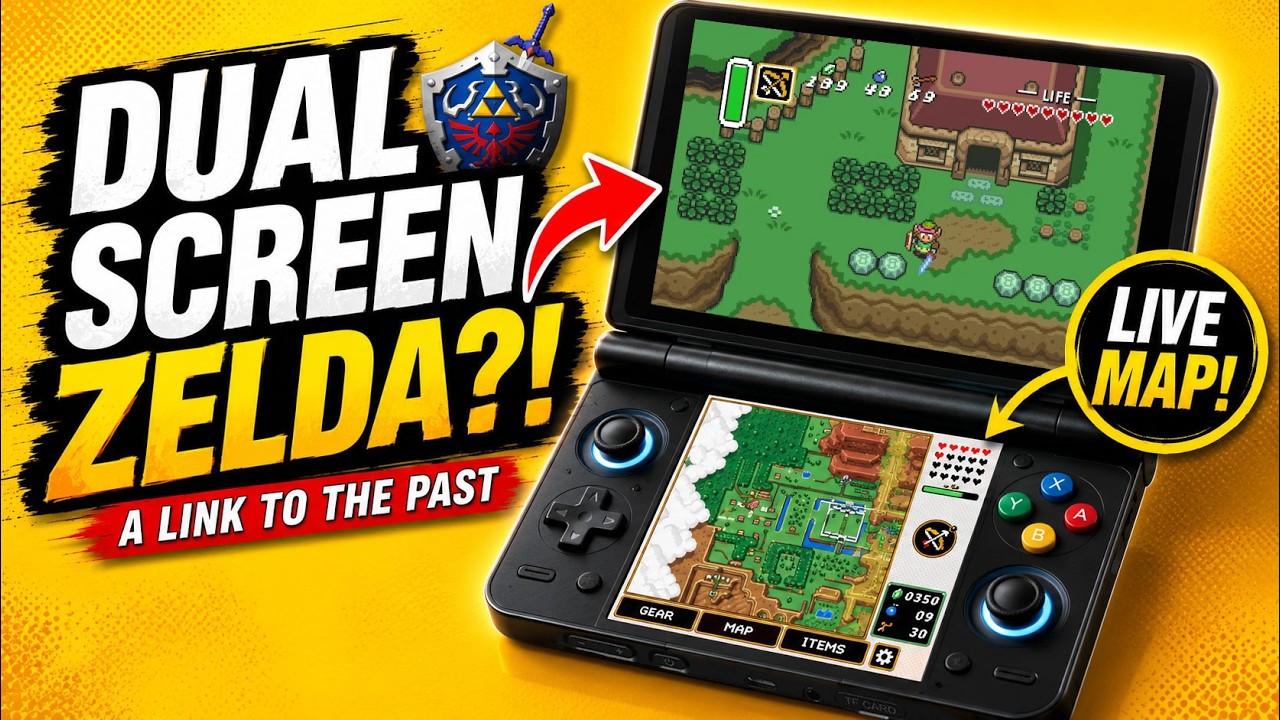
In this video we take a look at some of the most exciting Android retro gaming projects available today, including A Link to the Past Dual Screen, Dusklight, the Ocarina of Time 3D Single Screen Mod, and the incredible Pokémon Gen 1 Voxel Mod. I'll show you what makes each project special and walk you through exactly how to install them on your Android device. 📥 DOWNLOADS ► Dusklight https://twilitrealm.dev/ ► Azahar Emulator https://azahar-emu.org/ ► Ocarina of Time 3D Single Screen Mod https://gamebanana.com/mods/695893 ► Gen1Recomp (Official GitHub) https://github.com/bryanthaboi/gen1recomp ► Pokémon Gen 1 Voxel Mod https://github.com/DramaticShape/DramaticShapeVoxelMod 📺 WATCH NEXT ► A Link to the Past Dual Screen Guide https://youtu.be/ZuYiBYABA4Y?si=hCIKBHeWOkfWEc-e ► Ship of Harkinian (Ocarina of Time) https://youtu.be/hVKY9hPTm4c ► Ship of Harkinian (Majora's Mask) https://youtu.be/Nk8MmoN3Fa8 ▬ Ways To Support This Channel: ▬▬▬▬▬▬▬▬▬▬ Patreon: https://patreon.com/Techcravers Become a member of the channel to gain access to several benefits: https://youtube.com/c/techcravers/join Buy Accessories (like SD cards) through Amazon: https://amzn.to/3WEdbL5 Buy Anbernic Handhelds: https://shorturl.at/knTX2 Buy Handhelds from LITNXT: https://shorturl.at/zBITX ▬ Contents of this video ▬▬▬▬▬▬▬▬▬▬ 00:00 Best Android Retro Gaming Projects 01:48 Zelda: A Link to the Past Dual Screen 03:04 Twilight Princess Android Port (Dusklight) 04:42 Ocarina of Time 3D Single Screen Mod 07:33 Pokémon Gen 1 Voxel Mod 10:03 Outro & Final Thoughts 👍 Like 🖋️ Comment 🔔Subscribe ▬ My Setup ▬▬▬▬▬▬▬▬▬▬ Camera: Panasonic Lumix s5II Computer: https://youtu.be/1JL_N-HBOGI ➤ My site: http://www.techcravers.net ➤ Music: Aries Beats https://free-songs.de/free-music/ ➤ https://www.youtube.com/@UCusRboGYW7R4tGg-NVa-xYw 📢 Disclosure: Some of the links on this channel are affiliate links. This means that, at no additional cost to you, I may earn a commission if you click through and make a purchase. Thank you for supporting the channel! THIS VIDEO IS FOR EDUCATIONAL PURPOSES ONLY!

3 Aug 2026 · 11:11

Latest videos

406 in the archive
6:05
Video

How to Join Any Pokémon GO Raid with Poké Genie (Complete Beginner's Guide)

7 Jul 2026

In this video, I'll show you how to use Poké Genie to find and join almost any Pokémon GO raid from anywhere in the world. Whether you're hunting legendary Pokémon, regional raids, or simply don't have many local players to raid with, this beginner-friendly guide walks you through the entire process step by step. ▬ Ways To Support This Channel: ▬▬▬▬▬▬▬▬▬▬ Patreon: https://patreon.com/Techcravers Become a member of the channel to gain access to several benefits: https://youtube.com/c/techcravers/join Buy Accessories (like SD cards) through Amazon: https://amzn.to/3WEdbL5 Buy Anbernic Handhelds: https://shorturl.at/knTX2 Buy Handhelds from LITNXT: https://shorturl.at/zBITX ▬ Contents of this video ▬▬▬▬▬▬▬▬▬▬ 0:00 Intro 0:18 What Is Poké Genie? 1:00 Is Poké Genie Safe? (No Spoofing or Cheating) 1:30 Download & Install Poké Genie 1:43 Set Up Your Poké Genie Account 1:53 How to Find Your Trainer Code 2:11 How Poké Genie Works 3:35 How to Join Any Raid 5:20 Final Tips & Outro 👍 Like 🖋️ Comment 🔔Subscribe ▬ My Setup ▬▬▬▬▬▬▬▬▬▬ Camera: Panasonic Lumix s5II Computer: https://youtu.be/1JL_N-HBOGI ➤ My site: http://www.techcravers.net ➤ Music: Aries Beats https://free-songs.de/free-music/ ➤ Music by https://www.youtube.com/@FantasyLofi → https://ffm.bio/bitsandhits 📢 Disclosure: Some of the links on this channel are affiliate links. This means that, at no additional cost to you, I may earn a commission if you click through and make a purchase. Thank you for supporting the channel! THIS VIDEO IS FOR EDUCATIONAL PURPOSES ONLY! #PokemonGO #PokeGenie #pokemongoguide

6:56
Video

Play the Ocarina of Time Remake... Before the Remake

29 Jun 2026

In this video, I'll show you exactly how to install one of the best HD texture packs available for The Legend of Zelda: Ocarina of Time 3D, how to set it up in the Azahar emulator, and the graphics settings I recommend to get the best balance between visual quality and performance on the AYN Thor. ➤ 4K Texture Packs https://www.henrikomagnifico.com/texture-packs ➤ Buy the AYN Thor Here (affiliate ❤️): https://shorturl.at/thwda ➤ Buy the Thor Self-adhesive Stylus (affiliate ❤️): https://shorturl.at/SU0w6 ➤ My Dual-Screen Emulation Setup Guide: https://youtu.be/dyLszXU0inc ➤ My Rainbow Buttons & Screen Protector Video: https://youtu.be/2kOYreqNiX4 ▬ Ways To Support This Channel: ▬▬▬▬▬▬▬▬▬▬ Patreon: https://patreon.com/Techcravers Become a member of the channel to gain access to several benefits: https://youtube.com/c/techcravers/join Buy Accessories (like SD cards) through Amazon: https://amzn.to/3WEdbL5 Buy Anbernic Handhelds: https://shorturl.at/knTX2 Buy Handhelds from LITNXT: https://shorturl.at/zBITX ▬ Contents of this video ▬▬▬▬▬▬▬▬▬▬ 0:00 Intro – Ocarina of Time 3D in 4K 0:25 Side-by-Side (Native 3DS vs. 4K) 1:14 Before You Begin 1:41 Download the HD Texture Pack 2:46 Install the Texture Pack 3:19 Find Your Game's Title ID 4:13 Copy & Rename the Texture Folder 5:22 Enable Custom Textures in Azahar 6:00 Verify the Texture Pack 6:17 Final Thoughts 👍 Like 🖋️ Comment 🔔Subscribe ▬ My Setup ▬▬▬▬▬▬▬▬▬▬ Camera: Panasonic Lumix s5II Computer: https://youtu.be/1JL_N-HBOGI ➤ My site: http://www.techcravers.net ➤ Music: Aries Beats https://free-songs.de/free-music/ ➤ Music by https://www.youtube.com/@FantasyLofi → https://ffm.bio/bitsandhits 📢 Disclosure: Some of the links on this channel are affiliate links. This means that, at no additional cost to you, I may earn a commission if you click through and make a purchase. Thank you for supporting the channel! THIS VIDEO IS FOR EDUCATIONAL PURPOSES ONLY!

9:01
Video

This Driver Changed Everything for Switch Emulation on AYN Thor

18 Jun 2026

In this video, I'll show you how to set up Nintendo Switch emulation on the AYN Thor, including the emulator, GPU driver, recommended settings, mods, and performance tweaks that can dramatically improve your experience. 🔗 Eden Nightly: https://git.eden-emu.dev/eden-ci/nightly/releases 🔗 EmuReady Lite: https://play.google.com/store/apps/details?id=com.producdevity.emureadylite 🔗 K11MCH1 Turnip Drivers: https://github.com/K11MCH1/AdrenoToolsDrivers/releases/ ⚠️ This video does not cover how to obtain firmware, keys, or game backups. Please ensure you have legitimate access to all required files before following this guide. ➤ Buy the AYN Thor Here (affiliate ❤️): https://shorturl.at/thwda ▬ Ways To Support This Channel: ▬▬▬▬▬▬▬▬▬▬ Patreon: https://patreon.com/Techcravers Become a member of the channel to gain access to several benefits: https://youtube.com/c/techcravers/join Buy Accessories (like SD cards) through Amazon: https://amzn.to/3WEdbL5 Buy Anbernic Handhelds: https://shorturl.at/knTX2 Buy Handhelds from LITNXT: https://shorturl.at/zBITX ▬ Contents of this video ▬▬▬▬▬▬▬▬▬▬ 0:00 Intro 1:35 Before You Start (Requirements & Disclaimer) 2:21 Installing Eden Nightly 3:01 EmuReady Lite: Best Settings & Tweaks 4:59 Installing Mods (Link's Awakening Example) 6:16 Best GPU Driver for AYN Thor 7:59 Pokémon Let's Go Controller Fix 8:35 Final Thoughts 👍 Like 🖋️ Comment 🔔Subscribe ▬ My Setup ▬▬▬▬▬▬▬▬▬▬ Camera: Panasonic Lumix s5II Computer: https://youtu.be/1JL_N-HBOGI ➤ My site: http://www.techcravers.net ➤ Music: Aries Beats https://free-songs.de/free-music/ ➤ Music by https://www.youtube.com/@FantasyLofi → https://ffm.bio/bitsandhits 📢 Disclosure: Some of the links on this channel are affiliate links. This means that, at no additional cost to you, I may earn a commission if you click through and make a purchase. Thank you for supporting the channel! THIS VIDEO IS FOR EDUCATIONAL PURPOSES ONLY! #AYNThor #NintendoSwitch #Emulation #AndroidGaming #Snapdragon8Gen2

12:04
Video

I Took This Portable Laser Projector Everywhere... | XGIMI MoGo 4 Laser

17 Jun 2026

➤ The XGIMI MoGo 4 Laser is one of the most portable projectors I've tested so far. In this review, we take a look at the projector itself, the PowerBase stand, the portable outdoor screen, image quality, sound, Google TV, and whether it's worth buying for movie nights, camping trips, and outdoor entertainment. 🔗 XGIMI MoGo 4 Laser (Affiliate Link ❤️): https://tinyurl.com/2enp9hta 🔗 XGIMI MoGo 4 Laser (Non-Affiliate Link): https://us.xgimi.com/products/mogo-4-laser Using the affiliate link doesn't cost you anything extra, but it helps support the channel and future reviews. ▬ Ways To Support This Channel: ▬▬▬▬▬▬▬▬▬▬ Patreon: https://patreon.com/Techcravers Become a member of the channel to gain access to several benefits: https://youtube.com/c/techcravers/join Buy Accessories (like SD cards) through Amazon: https://amzn.to/3WEdbL5 Buy Anbernic Handhelds: https://shorturl.at/knTX2 Buy Handhelds from LITNXT: https://shorturl.at/zBITX ▬ Contents of this video ▬▬▬▬▬▬▬▬▬▬ 00:00 Intro - XGIMI MoGo 4 Laser Review 01:29 Unboxing & What's Included 01:50 Magnetic Ambient Light Filters 02:35 Premium Design & First Impressions 03:29 The Built-In Backup Remote 03:53 Harman Kardon Speakers 04:31 Quick Setup Experience 04:50 360° Rotating Hinge Design 05:10 Auto Focus & Keystone Correction 05:48 Image Quality & Sharpness 06:25 Brightness Test - Light vs Dark Rooms 07:13 Pricing & Outdoor Bundle Options 07:35 Portable Outdoor Screen 07:55 PowerBase Stand & Battery Life 09:20 Google TV & Streaming Apps 10:30 Final Verdict - Is The MoGo 4 Laser Worth It? 👍 Like 🖋️ Comment 🔔Subscribe ▬ My Setup ▬▬▬▬▬▬▬▬▬▬ Camera: Panasonic Lumix s5II Computer: https://youtu.be/1JL_N-HBOGI ➤ My site: http://www.techcravers.net ➤ Music: Aries Beats https://free-songs.de/free-music/ ➤ Music track: Office by Aylex Source: https://freetouse.com/music ➤ Music track: Last Summer by Aylex Source: https://freetouse.com/music 📢 Disclosure: Some of the links on this channel are affiliate links. This means that, at no additional cost to you, I may earn a commission if you click through and make a purchase. Thank you for supporting the channel! THIS VIDEO IS FOR EDUCATIONAL PURPOSES ONLY!

7:14
Video

AYANEO Built Its Own Emulator... And It's Actually Good

11 Jun 2026

AYANEO has partnered with IGS to create the Pocket AIR Mini Arcade Home Edition, a retro handheld featuring officially licensed arcade classics and AYANEO's brand-new in-house emulator. In this video, we take a look at the new arcade-inspired design, test the emulator, explore its features, and see whether this unique collaboration is worth your attention. Check Out the Pocket AIR Mini Arcade Home: https://www.ayaneo.com/product/AYANEO-Pocket-AIR-Mini-IGS ▬ Ways To Support This Channel: ▬▬▬▬▬▬▬▬▬▬ Patreon: https://patreon.com/Techcravers Become a member of the channel to gain access to several benefits: https://youtube.com/c/techcravers/join Buy Accessories (like SD cards) through Amazon: https://amzn.to/3WEdbL5 Buy Anbernic Handhelds: https://shorturl.at/knTX2 Buy Handhelds from LITNXT: https://shorturl.at/zBITX ▬ Contents of this video ▬▬▬▬▬▬▬▬▬▬ 0:00 AYANEO Built Its Own Emulator 1:51 Same Hardware, New Experience 2:08 First Look at AYANEO's Emulator 2:23 The Included Arcade Games 3:11 My Personal Favorite 3:43 Better Than Expected? 4:46 One Major Limitation 6:18 Wrap Up? 👍 Like 🖋️ Comment 🔔Subscribe ▬ My Setup ▬▬▬▬▬▬▬▬▬▬ Camera: Panasonic Lumix s5II Computer: https://youtu.be/1JL_N-HBOGI ➤ My site: http://www.techcravers.net ➤ Music: Aries Beats https://free-songs.de/free-music/ ➤ Music track: 1984 by HiLau Source: https://freetouse.com/music 📢 Disclosure: Some of the links on this channel are affiliate links. This means that, at no additional cost to you, I may earn a commission if you click through and make a purchase. Thank you for supporting the channel! THIS VIDEO IS FOR EDUCATIONAL PURPOSES ONLY! #AYANEO #PocketAirMini #RetroGaming #ArcadeGaming #Emulation #HandheldGaming #TechCravers

18:57
Video

Steam Deck Emulation Guide 2026 – The Ultimate Setup Tutorial

1 Jun 2026

In this tutorial, I'll show you how to turn your Steam Deck into the ultimate portable emulation machine using EmuDeck. We'll cover everything from installing and configuring emulators to adding ROMs, BIOS files, artwork, and importing your games directly into Steam. Need a MicroSD card for your games? Check out this one (affiliate link ❤️): https://amzn.to/4vdSFPs ▬ Ways To Support This Channel: ▬▬▬▬▬▬▬▬▬▬ Patreon: https://patreon.com/Techcravers Become a member of the channel to gain access to several benefits: https://youtube.com/c/techcravers/join Buy Accessories (like SD cards) through Amazon: https://amzn.to/3WEdbL5 Buy Anbernic Handhelds: https://shorturl.at/knTX2 Buy Handhelds from LITNXT: https://shorturl.at/zBITX ▬ Contents of this video ▬▬▬▬▬▬▬▬▬▬ 00:00 - Why You Need Emulation on Your Steam Deck in 2026 00:18 - Steam Deck Prices Have Gone Crazy 01:39 - What You'll Need Before Getting Started 02:36 - Set Up Your Steam Deck Password 03:30 - Download & Install EmuDeck 06:16 - Choosing Your EmuDeck Integration Level 08:39 - Preparing Your ROMs & BIOS Files 09:00 - Transfer Games to Your Steam Deck 10:12 - Understanding ROM Folders & Supported Formats 11:48 - Installing BIOS Files 13:09 - BIOS Checker: Verify Everything Is Working 14:15 - Import Games with Steam ROM Manager 15:26 - Artwork, Collections & Hiding Emulators 16:33 - Testing Your Games in Gaming Mode 17:02 - How to Add More Games in the Future 18:12 - Final Thoughts 👍 Like 🖋️ Comment 🔔Subscribe ▬ My Setup ▬▬▬▬▬▬▬▬▬▬ Camera: Panasonic Lumix s5II Computer: https://youtu.be/1JL_N-HBOGI ➤ My site: http://www.techcravers.net ➤ Music: Aries Beats https://free-songs.de/free-music/ ➤ Music track: farlands by massobeats Source: https://freetouse.com/music 📢 Disclosure: Some of the links on this channel are affiliate links. This means that, at no additional cost to you, I may earn a commission if you click through and make a purchase. Thank you for supporting the channel! THIS VIDEO IS FOR EDUCATIONAL PURPOSES ONLY! #steamdeck #emulation #emudeck

10:27
Video

THIS Handheld ROTATES!

28 May 2026

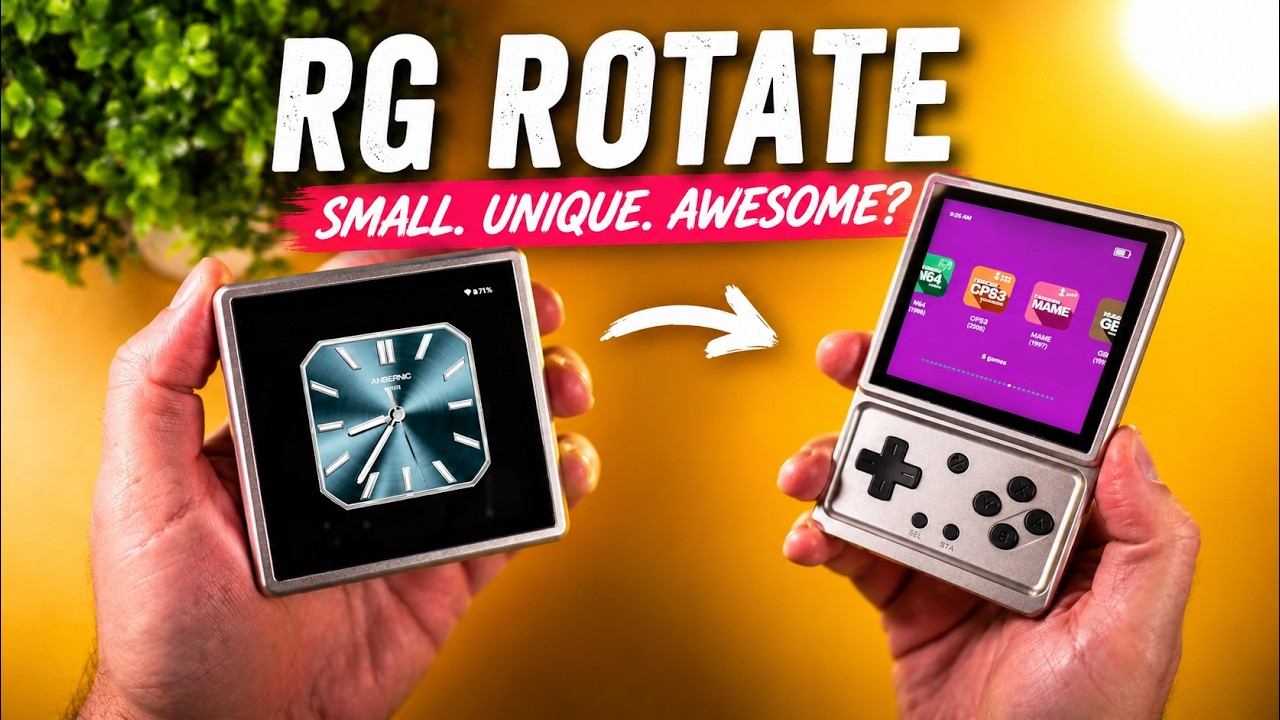
In this video, we take a look at the brand-new Anbernic RG Rotate — one of the weirdest and most unique retro handhelds we’ve seen in a long time. With its rotating display, premium aluminum design, Android-based software, and compact form factor, this thing feels more like a futuristic gadget than a traditional emulation handheld. But is it actually good… or just a gimmick? Buy RG Rotate Here (affiliate ❤️): https://shorturl.at/xZrC3 ▬ Ways To Support This Channel: ▬▬▬▬▬▬▬▬▬▬ Patreon: https://patreon.com/Techcravers Become a member of the channel to gain access to several benefits: https://youtube.com/c/techcravers/join Buy Accessories (like SD cards) through Amazon: https://amzn.to/3WEdbL5 Buy Anbernic Handhelds: https://shorturl.at/knTX2 Buy Handhelds from LITNXT: https://shorturl.at/zBITX ▬ Contents of this video ▬▬▬▬▬▬▬▬▬▬ 0:00 A Slow Start for Handhelds in 2026... 1:48 Unboxing the RG Rotate 2:58 Specs & Hardware 4:08 Premium Design... With Some Quirks 5:47 Buttons, Controls & First Impressions 6:13 The D-Pad Problem 6:54 Surprisingly Solid Swivel Mechanism 7:47 Android Experience & RG Launcher 8:23 Price & Value 8:37 PSP Gaming Without Analog Sticks?! 9:08 Final Thoughts – Weirdly Brilliant? 👍 Like 🖋️ Comment 🔔Subscribe ▬ My Setup ▬▬▬▬▬▬▬▬▬▬ Camera: Panasonic Lumix s5II Computer: https://youtu.be/1JL_N-HBOGI ➤ My site: http://www.techcravers.net ➤ Music: Aries Beats https://free-songs.de/free-music/ ➤ Music by https://www.youtube.com/@FantasyLofi → https://ffm.bio/bitsandhits 📢 Disclosure: Some of the links on this channel are affiliate links. This means that, at no additional cost to you, I may earn a commission if you click through and make a purchase. Thank you for supporting the channel! THIS VIDEO IS FOR EDUCATIONAL PURPOSES ONLY!

4:55
Video

Belkin Charging Case Pro Review — The ONLY Switch 2 Case You Need?

11 May 2026

In this video, we take a look at the Belkin Charging Case Pro for the Nintendo Switch 2 — a premium all-in-one travel case with built-in charging, rugged protection, game storage, and a unique kickstand battery design. But is it actually worth the $99 price tag? Let’s find out. Check out the Charging Case Pro (affiliate ❤️): ➤ https://amzn.to/4e7EmF1 ▬ Ways To Support This Channel: ▬▬▬▬▬▬▬▬▬▬ Patreon: https://patreon.com/Techcravers Become a member of the channel to gain access to several benefits: https://youtube.com/c/techcravers/join Buy Accessories (like SD cards) through Amazon: https://amzn.to/3WEdbL5 Buy Anbernic Handhelds: https://shorturl.at/knTX2 Buy Handhelds from LITNXT: https://shorturl.at/zBITX ▬ Contents of this video ▬▬▬▬▬▬▬▬▬▬ 0:00 Intro 0:42 Design & Protection 1:34 Built-In Battery & Charging 2:28 Travel Experience 3:32 Is It Worth $99? 4:19 Final Thoughts 👍 Like 🖋️ Comment 🔔Subscribe ▬ My Setup ▬▬▬▬▬▬▬▬▬▬ Camera: Panasonic Lumix s5II Computer: https://youtu.be/1JL_N-HBOGI ➤ My site: http://www.techcravers.net ➤ Music: Aries Beats https://free-songs.de/free-music/ ➤ Music by https://www.youtube.com/@FantasyLofi → https://ffm.bio/bitsandhits 📢 Disclosure: Some of the links on this channel are affiliate links. This means that, at no additional cost to you, I may earn a commission if you click through and make a purchase. Thank you for supporting the channel! THIS VIDEO IS FOR EDUCATIONAL PURPOSES ONLY!

10:43
Video

This Fixes the RG Vita… (Vita Pro Review)

25 Apr 2026

In this video, we take a second look at the Anbernic RG Vita Pro to see what’s actually changed—and whether this is the version they should’ve released from the start. We’ll go over the differences, test Vita emulation, and see how it really performs. ▬ Ways To Support This Channel: ▬▬▬▬▬▬▬▬▬▬ Patreon: https://patreon.com/Techcravers Become a member of the channel to gain access to several benefits: https://youtube.com/c/techcravers/join Buy Accessories (like SD cards) through Amazon: https://amzn.to/3WEdbL5 Buy Anbernic Handhelds: https://shorturl.at/knTX2 Buy Handhelds from LITNXT: https://shorturl.at/zBITX ▬ Contents of this video ▬▬▬▬▬▬▬▬▬▬ 0:00 Intro – Wait… Which One Is This? 1:12 What Actually Changed? (Hardware) 1:48 Dual Boot Explained (Android vs Linux) 2:36 Specs Breakdown – What’s New? 4:08 Vita3K Out of the Box 4:57 Vita Emulation Test (Gameplay) 7:24 “Disco Mode” – The Downsides 9:43 Final Thoughts 👍 Like 🖋️ Comment 🔔Subscribe ▬ My Setup ▬▬▬▬▬▬▬▬▬▬ Camera: Panasonic Lumix s5II Computer: https://youtu.be/1JL_N-HBOGI ➤ My site: http://www.techcravers.net ➤ Music: Aries Beats https://free-songs.de/free-music/ ➤ Music track: memories by massobeats Source: https://freetouse.com/music 📢 Disclosure: Some of the links on this channel are affiliate links. This means that, at no additional cost to you, I may earn a commission if you click through and make a purchase. Thank you for supporting the channel! THIS VIDEO IS FOR EDUCATIONAL PURPOSES ONLY!

5:04
Video

How to Get the BEST Pokémon INSTANTLY in Pokémon Champions

14 Apr 2026

In this video, I’ll show you how to build your SHINY dream team in Pokémon Champions—FAST. By using Pokémon HOME and a simple setup, you can skip the grind completely and bring in your best shinies in just a few steps. I’ll walk you through the full process—from transferring your Pokémon to getting them ready for ranked battles. ➤ My How To Get 900+ SHINY POKEMON Guide: https://youtu.be/rjSeVhh5Bvc ▬ Ways To Support This Channel: ▬▬▬▬▬▬▬▬▬▬ Patreon: https://patreon.com/Techcravers Become a member of the channel to gain access to several benefits: https://youtube.com/c/techcravers/join Buy Accessories (like SD cards) through Amazon: https://amzn.to/3WEdbL5 Buy Anbernic Handhelds: https://shorturl.at/knTX2 Buy Handhelds from LITNXT: https://shorturl.at/zBITX ▬ Contents of this video ▬▬▬▬▬▬▬▬▬▬ 0:00 Build a SHINY Dream Team FAST (Intro) 1:01 The Secret Shortcut You NEED First 1:38 Transfer Pokémon from HOME → Champions 2:55 Import Your Pokémon & Build Your Team 3:40 Fix Illegal Moves (Quick & Easy) 4:25 Final Result + Wrap Up 👍 Like 🖋️ Comment 🔔Subscribe ▬ My Setup ▬▬▬▬▬▬▬▬▬▬ Camera: Panasonic Lumix s5II Computer: https://youtu.be/1JL_N-HBOGI ➤ My site: http://www.techcravers.net ➤ Music: Aries Beats https://free-songs.de/free-music/ ➤ Music by https://www.youtube.com/@FantasyLofi → https://ffm.bio/bitsandhits 📢 Disclosure: Some of the links on this channel are affiliate links. This means that, at no additional cost to you, I may earn a commission if you click through and make a purchase. Thank you for supporting the channel! THIS VIDEO IS FOR EDUCATIONAL PURPOSES ONLY!

12:38
Video

The Perfect Retro Handheld… Almost

13 Apr 2026

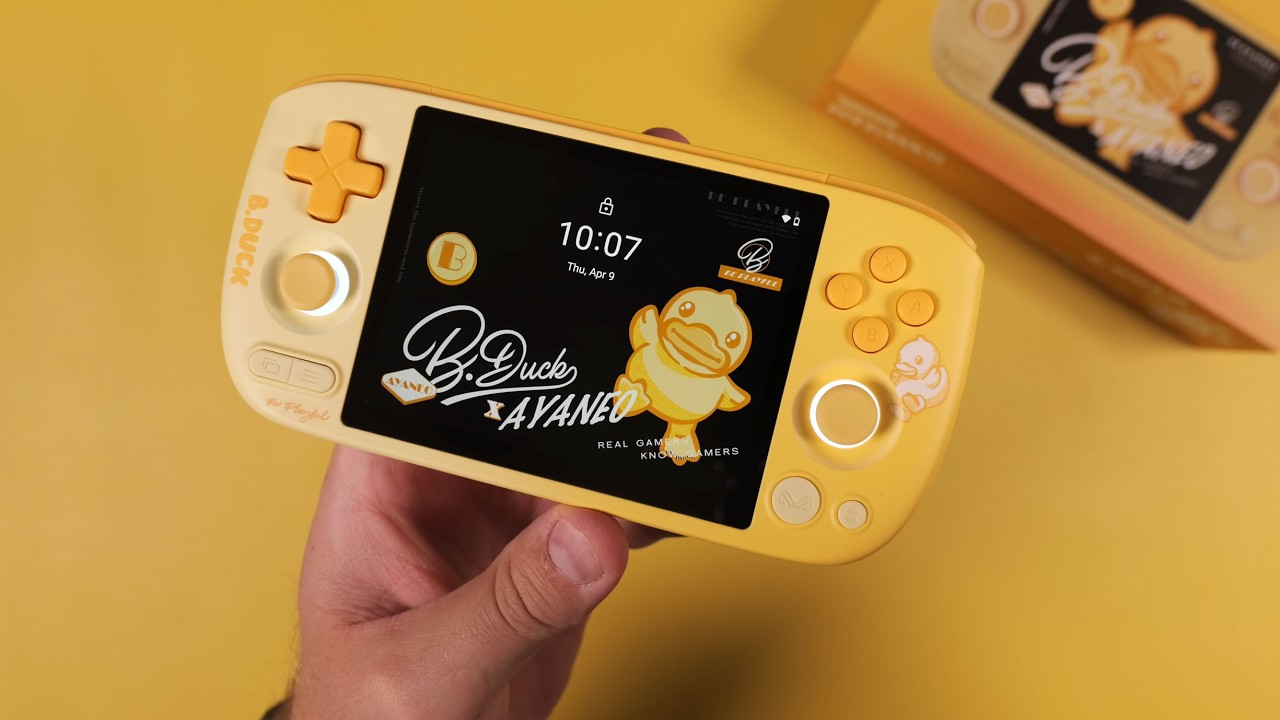
In this video, we take a look at the AYANEO Pocket AIR Mini x B.Duck Limited Edition, a playful, eye-catching Android handheld that’s a bit more than just a reskin. We go through the unboxing, design, specs, and real-world emulation performance to see what this device is actually capable of. ▬ Ways To Support This Channel: ▬▬▬▬▬▬▬▬▬▬ Patreon: https://patreon.com/Techcravers Become a member of the channel to gain access to several benefits: https://youtube.com/c/techcravers/join Buy Accessories (like SD cards) through Amazon: https://amzn.to/3WEdbL5 Buy Anbernic Handhelds: https://shorturl.at/knTX2 Buy Handhelds from LITNXT: https://shorturl.at/zBITX ▬ Contents of this video ▬▬▬▬▬▬▬▬▬▬ 00:00 Intro – What Is the AYANEO Pocket AIR Mini? 00:20 B.Duck Limited Edition Overview 01:33 Unboxing Experience 03:06 First Impressions – Design & Build 04:23 The Chipset Confusion Explained 05:11 Specs Breakdown (2GB vs 3GB Models) 07:00 Software & AYASpace Overview 08:24 Performance Overview 08:44 GameCube Emulation Test 09:46 PlayStation 2 Emulation Test 10:22 Pricing & Availability 11:20 Final Thoughts & Verdict 👍 Like 🖋️ Comment 🔔Subscribe ▬ My Setup ▬▬▬▬▬▬▬▬▬▬ Camera: Panasonic Lumix s5II Computer: https://youtu.be/1JL_N-HBOGI ➤ My site: http://www.techcravers.net ➤ Music: Aries Beats https://free-songs.de/free-music/ ➤ Music track: citrus by massobeats Source: https://freetouse.com/music 📢 Disclosure: Some of the links on this channel are affiliate links. This means that, at no additional cost to you, I may earn a commission if you click through and make a purchase. Thank you for supporting the channel! THIS VIDEO IS FOR EDUCATIONAL PURPOSES ONLY!

11:53
Video

I Used the AYN Thor for 3 Months — Here's the Truth

9 Mar 2026

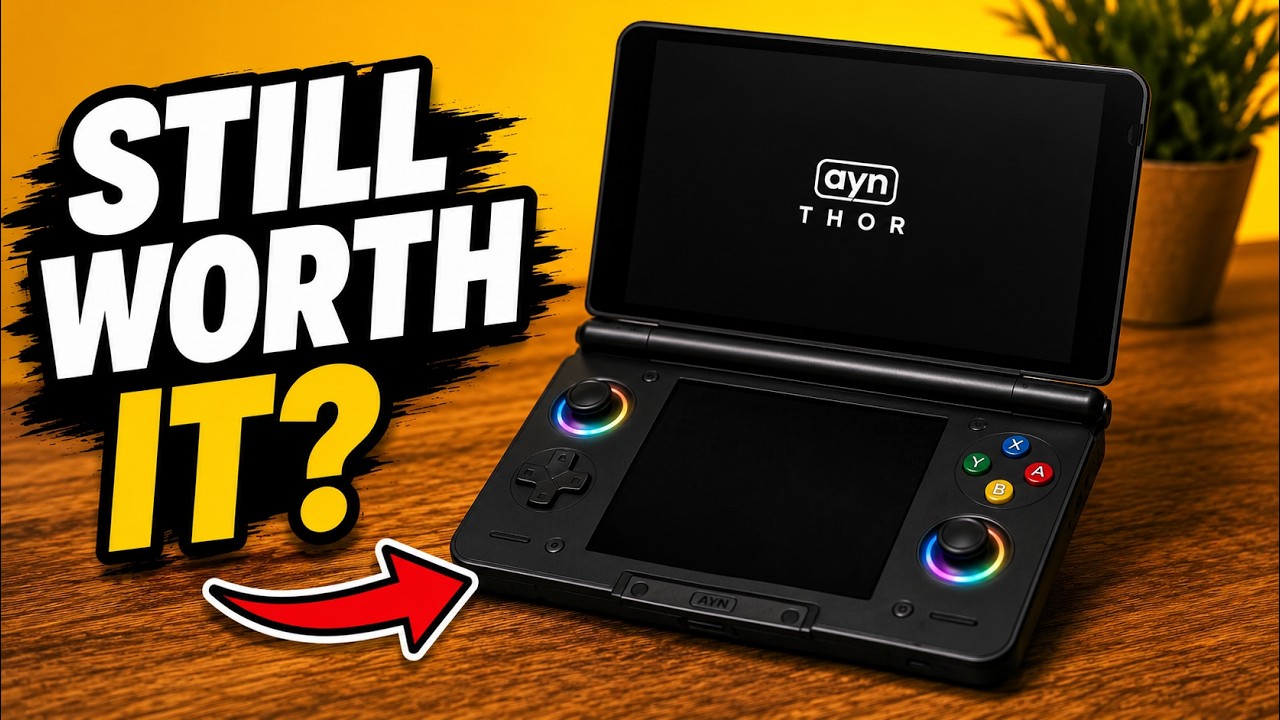
Three months ago I reviewed the AYN Thor — a modern dual-screen handheld that feels like a futuristic Nintendo 3DS. But after living with it for a while, the real question is: is it still worth it? In this video I share my 3-month experience with the Thor, what systems I actually play on it now, what has improved since launch, and what still needs work. Is the AYN Thor still one of the most unique handhelds you can buy? ➤ Buy the AYN Thor Here (affiliate ❤️): https://shorturl.at/thwda ➤ My Rainbow Buttons & Screen Protector: https://youtu.be/2kOYreqNiX4 ▬ Ways To Support This Channel: ▬▬▬▬▬▬▬▬▬▬ Patreon: https://patreon.com/Techcravers Become a member of the channel to gain access to several benefits: https://youtube.com/c/techcravers/join Buy Accessories (like SD cards) through Amazon: https://amzn.to/3WEdbL5 Buy Anbernic Handhelds: https://shorturl.at/knTX2 Buy Handhelds from LITNXT: https://shorturl.at/zBITX ▬ Contents of this video ▬▬▬▬▬▬▬▬▬▬ 00:00 Intro – What is the AYN Thor? 00:58 Build Quality After 3 Months 01:33 The Optional Grip 01:52 The Dual OLED Screens (Biggest Flex) 02:30 Battery Life & Fan Noise 03:55 Dual Screen Setup Guide 04:14 What I Actually Play on the Thor (After 3 Months) 07:58 The Bad Stuff (Annoyances) 09:41 Is It Still Worth the Price? 11:05 Final Thoughts 👍 Like 🖋️ Comment 🔔Subscribe ▬ My Setup ▬▬▬▬▬▬▬▬▬▬ Camera: Panasonic Lumix s5II Computer: https://youtu.be/1JL_N-HBOGI ➤ My site: http://www.techcravers.net ➤ Music: Aries Beats https://free-songs.de/free-music/ ➤ Music track: memories by massobeats Source: https://freetouse.com/music 📢 Disclosure: Some of the links on this channel are affiliate links. This means that, at no additional cost to you, I may earn a commission if you click through and make a purchase. Thank you for supporting the channel! THIS VIDEO IS FOR EDUCATIONAL PURPOSES ONLY!

8:01
Video

The $35 Game Boy You’ll Actually Carry | GameSir Pocket Taco

26 Feb 2026

In this video, we’re taking a closer look at the GameSir Pocket Taco — a tiny $35 mobile controller that promises to turn your phone into a truly pocketable handheld. We’ll go through the design, size comparisons, real-world usability, auto-connect features, customization options, and whether this is actually something you’d carry every day — or just another accessory that ends up in a drawer. ➤ Check Out the TACO Here: https://gamesir.com/pages/gamesir-pocket-taco-overview ➤ Back The Taco on Kickstarter ($5 OFF): https://bit.ly/kkgspt1 ▬ Ways To Support This Channel: ▬▬▬▬▬▬▬▬▬▬ Patreon: https://patreon.com/Techcravers Become a member of the channel to gain access to several benefits: https://youtube.com/c/techcravers/join Buy Accessories (like SD cards) through Amazon: https://amzn.to/3WEdbL5 Buy Anbernic Handhelds: https://shorturl.at/knTX2 Buy Handhelds from LITNXT: https://shorturl.at/zBITX ▬ Contents of this video ▬▬▬▬▬▬▬▬▬▬ 0:00 Intro – The $35 Handheld Concept 0:49 Unboxing the Pocket Taco 1:48 Size Comparison – How Small Is It? 2:39 The Spring Clamp & Phone Fit 3:06 Stability Test (Shake Test) 3:17 Smart Features & Auto Connect 4:04 Buttons & Retro Input Feel 5:14 The Downsides 5:33 Let’s Talk Price 6:23 Why It Actually Makes Sense 6:35 If It Was More Expensive… 7:11 Wrap up & Closing Thoughts 👍 Like 🖋️ Comment 🔔Subscribe ▬ My Setup ▬▬▬▬▬▬▬▬▬▬ Camera: Panasonic Lumix s5II Computer: https://youtu.be/1JL_N-HBOGI ➤ My site: http://www.techcravers.net ➤ Music: Aries Beats https://free-songs.de/free-music/ ➤ Music track: ocean by massobeats Source: https://freetouse.com/music 📢 Disclosure: Some of the links on this channel are affiliate links. This means that, at no additional cost to you, I may earn a commission if you click through and make a purchase. Thank you for supporting the channel! THIS VIDEO IS FOR EDUCATIONAL PURPOSES ONLY! #gamesir #emulation #taco

5:42
Video

How to Trade Pokémon With Yourself (On the Same Device)

22 Feb 2026

In this brief guide, I’ll show you how to trade Pokémon with yourself on the same device using Pokémon FireRed and Pokémon LeafGreen running side by side. No link cable, no second console, and no friends needed — just RetroArch and an Android handheld capable of split screen multitasking. Step by step, I’ll walk you through setting up a second RetroArch instance, enabling Netplay, and completing trades completely solo. ➤ Check Out the AYN Thor Here (affiliate ❤️): https://shorturl.at/thwda ▬ Ways To Support This Channel: ▬▬▬▬▬▬▬▬▬▬ Patreon: https://patreon.com/Techcravers Become a member of the channel to gain access to several benefits: https://youtube.com/c/techcravers/join Buy Accessories (like SD cards) through Amazon: https://amzn.to/3WEdbL5 Buy Anbernic Handhelds: https://shorturl.at/knTX2 Buy Handhelds from LITNXT: https://shorturl.at/zBITX ▬ Contents of this video ▬▬▬▬▬▬▬▬▬▬ 0:00 Intro – What This Tutorial Covers 1:04 Step-by-Step Guide Begins 1:41 Download & Install Clone App 2:55 Running Two RetroArch Instances 3:07 Enable Netplay & Connect the Games 4:20 Trading Pokémon 4:51 Wrap-Up & Summary 👍 Like 🖋️ Comment 🔔Subscribe ▬ My Setup ▬▬▬▬▬▬▬▬▬▬ Camera: Panasonic Lumix s5II Computer: https://youtu.be/1JL_N-HBOGI ➤ My site: http://www.techcravers.net ➤ Music: Aries Beats https://free-songs.de/free-music/ ➤ Music by https://www.youtube.com/@FantasyLofi → https://ffm.bio/bitsandhits 📢 Disclosure: Some of the links on this channel are affiliate links. This means that, at no additional cost to you, I may earn a commission if you click through and make a purchase. Thank you for supporting the channel! THIS VIDEO IS FOR EDUCATIONAL PURPOSES ONLY!

11:59
Video

This Is NOT a PS Vita // Anbernic RG Vita Review

17 Feb 2026

In this video, I review the Anbernic RG Vita and explain why — despite the name and design — this isn’t a PS Vita replacement. We’ll look at real-world performance, emulator support, and whether the pricing can justify what it offers. ➤ Buy the RG Vita Here: TBA ▬ Ways To Support This Channel: ▬▬▬▬▬▬▬▬▬▬ Patreon: https://patreon.com/Techcravers Become a member of the channel to gain access to several benefits: https://youtube.com/c/techcravers/join Buy Accessories (like SD cards) through Amazon: https://amzn.to/3WEdbL5 Buy Anbernic Handhelds: https://shorturl.at/knTX2 Buy Handhelds from LITNXT: https://shorturl.at/zBITX ▬ Contents of this video ▬▬▬▬▬▬▬▬▬▬ 0:00 Intro – RG Vita First Impressions 00:58 The Teaser & The Hype 02:12 Specs Breakdown 04:04 Hardware & Design Overview 05:38 Compared to PS Vita & Odin 2 Mini 07:18 Emulation Performance (Retro to PS2) 09:41 PS Vita Emulation Reality 10:31 Pricing & Availability 11:11 Final Thoughts 👍 Like 🖋️ Comment 🔔Subscribe ▬ My Setup ▬▬▬▬▬▬▬▬▬▬ Camera: Panasonic Lumix s5II Computer: https://youtu.be/1JL_N-HBOGI ➤ My site: http://www.techcravers.net ➤ Music: Aries Beats https://free-songs.de/free-music/ ➤ Music by https://www.youtube.com/@FantasyLofi → https://ffm.bio/bitsandhits ➤ Music track: Life is Beautiful by Aylex Source: https://freetouse.com/music 📢 Disclosure: Some of the links on this channel are affiliate links. This means that, at no additional cost to you, I may earn a commission if you click through and make a purchase. Thank you for supporting the channel! THIS VIDEO IS FOR EDUCATIONAL PURPOSES ONLY!

22:40
Video

Japanese 3DS → English US/EU Console (Full CFW Guide)

4 Feb 2026

In this video, I show you how to safely mod a Japanese New Nintendo 3DS XL/LL and then we install custom firmware, unlock region-free functionality, and then go one step further by changing the system region from Japan to US or EU with full English menus. This is a visual guide to the instructions found at https://3ds.hacks.guide/ This guide covers everything from a stock console to a fully unlocked system — step by step, with safety checks along the way. ➤ Download MSET9: https://shorturl.at/nswAx ➤ Download Python (Python Installer): https://shorturl.at/YOHO5 ➤ FAT32Format (for formatting microSD cards): https://shorturl.at/NFwjF ➤ Finalize Setup: https://shorturl.at/RG70c ➤ 2DS / 3DS Region Change: https://shorturl.at/V7YVQ ▬ Ways To Support This Channel: ▬▬▬▬▬▬▬▬▬▬ Patreon: https://patreon.com/Techcravers Become a member of the channel to gain access to several benefits: https://youtube.com/c/techcravers/join Buy Accessories (like SD cards) through Amazon: https://amzn.to/3WEdbL5 Buy Anbernic Handhelds: https://shorturl.at/knTX2 Buy Handhelds from LITNXT: https://shorturl.at/zBITX ▬ Contents of this video ▬▬▬▬▬▬▬▬▬▬ 00:00 Intro – What This Tutorial Covers 01:22 First Boot: Japanese 3DS Initial Setup 03:30 Update System to Firmware 11.17 04:27 Remove & Mount microSD (Optional SD Upgrade) 04:46 Format microSD Card (FAT32) 05:02 Download & Install MSET9 + Python 05:56 Using MSET9 to Install Custom Firmware 09:48 SafeB9SInstaller (boot9strap) 10:21 Luma3DS First Boot & Setup 11:00 Remove MSET9 (DO NOT SKIP) 11:59 Finalize Setup (Install Homebrew Apps) 14:40 Part 2 – Region Change Disclaimer 15:25 Region Change: Japan → US / EU 19:19 System Update & Restore Homebrew Apps 21:47 Wrap-Up & Final Thoughts 👍 Like 🖋️ Comment 🔔Subscribe ▬ My Setup ▬▬▬▬▬▬▬▬▬▬ Camera: Panasonic Lumix s5II Computer: https://youtu.be/1JL_N-HBOGI ➤ My site: http://www.techcravers.net ➤ Music: Aries Beats https://free-songs.de/free-music/ ➤ Music by https://www.youtube.com/@FantasyLofi → https://ffm.bio/bitsandhits 📢 Disclosure: Some of the links on this channel are affiliate links. This means that, at no additional cost to you, I may earn a commission if you click through and make a purchase. Thank you for supporting the channel! THIS VIDEO IS FOR EDUCATIONAL PURPOSES ONLY!

13:30
Video

I Don’t Understand Who This Handheld Is For | AYANEO Pocket VERT Review

28 Jan 2026

In this video, we take a deep dive into the AYANEO Pocket VERT — a premium, vertical Android handheld with flagship-level performance and a stunning high-resolution display. On paper, it looks impressive. But in practice, things get more complicated. Who is this handheld actually for? With its power, price, and unique form factor, the Pocket VERT ends up in a strange middle ground between retro gaming and modern Android play. Check Out the AYANEO Pocket VERT (non affiliate): https://www.ayaneo.com/product/AYANEO-Pocket-VERT ▬ Ways To Support This Channel: ▬▬▬▬▬▬▬▬▬▬ Patreon: https://patreon.com/Techcravers Become a member of the channel to gain access to several benefits: https://youtube.com/c/techcravers/join Buy Accessories (like SD cards) through Amazon: https://amzn.to/3WEdbL5 Buy Anbernic Handhelds: https://shorturl.at/knTX2 Buy Handhelds from LITNXT: https://shorturl.at/zBITX ▬ Contents of this video ▬▬▬▬▬▬▬▬▬▬ 00:00 Intro – AYANEO Pocket VERT 01:01 AYANEO’s Recent Reputation Issues 01:47 Unboxing 02:48 First Impressions 03:22 A Fingerprint Magnet 03:55 “I’ve Seen This Before” – Analogue Pocket Comparison 05:14 Screen & Hardware Comparison (vs Analogue Pocket) 07:02 AYANEO’s Hidden Ace: Touchpad Under the D-pad 08:03 Full Specs Overview 09:15 Pricing & Configurations 10:13 The Elephant in the Room – Delivery & Trust Issues 12:06 Final Thoughts & Wrap-Up 👍 Like 🖋️ Comment 🔔Subscribe ▬ My Setup ▬▬▬▬▬▬▬▬▬▬ Camera: Panasonic Lumix s5II Computer: https://youtu.be/1JL_N-HBOGI ➤ My site: http://www.techcravers.net ➤ Music: Aries Beats https://free-songs.de/free-music/ ➤ Music by https://www.youtube.com/@FantasyLofi → https://ffm.bio/bitsandhits 📢 Disclosure: Some of the links on this channel are affiliate links. This means that, at no additional cost to you, I may earn a commission if you click through and make a purchase. Thank you for supporting the channel! THIS VIDEO IS FOR EDUCATIONAL PURPOSES ONLY!

13:41
Video

This Android Handheld Is Beating My Steam Deck in Switch Emulation

19 Jan 2026

In this video, I take a look at how the new custom GPU drivers for Snapdragon 8 Elite are completely changing Switch and PC emulation on Android. From lightweight titles to demanding Nintendo first-party games, performance has taken a massive step forward — to the point where Tears of the Kingdom runs at a pretty stable 30 FPS and even outperforms the Steam Deck in direct comparison. UPDATE: I decided to upload the uncensored video to my patreon (free for everyone) so if you want to watch that, go here: https://www.patreon.com/posts/148630064 Get Your AYN Odin 3 Here (affiliate ❤️): https://shorturl.at/hVNlm ➤ Whitebelyash Turnip Drivers: https://github.com/whitebelyash/freedreno_turnip-CI/releases ➤ StevenMXZ Turnip Drivers: https://github.com/StevenMXZ/freedreno_turnip-CI/releases ➤ Eden (for Android): https://github.com/eden-emulator/Releases/releases ▬ Ways To Support This Channel: ▬▬▬▬▬▬▬▬▬▬ Patreon: https://patreon.com/Techcravers Become a member of the channel to gain access to several benefits: https://youtube.com/c/techcravers/join Buy Accessories (like SD cards) through Amazon: https://amzn.to/3WEdbL5 Buy Anbernic Handhelds: https://shorturl.at/knTX2 Buy Handhelds from LITNXT: https://shorturl.at/zBITX ▬ Contents of this video ▬▬▬▬▬▬▬▬▬▬ 0:00 Intro – Custom Drivers Are Moving FAST 1:46 Gameplay Showcase (Baseline Performance) 9:39 Major Glitches Are Finally Gone 11:35 TotK Performance 12:44 Wrap-Up, Thanks & Final Thoughts 👍 Like 🖋️ Comment 🔔Subscribe ▬ My Setup ▬▬▬▬▬▬▬▬▬▬ Camera: Panasonic Lumix s5II Computer: https://youtu.be/1JL_N-HBOGI ➤ My site: http://www.techcravers.net ➤ Music: Aries Beats https://free-songs.de/free-music/ ➤ Music by https://www.youtube.com/@FantasyLofi → https://ffm.bio/bitsandhits 📢 Disclosure: Some of the links on this channel are affiliate links. This means that, at no additional cost to you, I may earn a commission if you click through and make a purchase. Thank you for supporting the channel! THIS VIDEO IS FOR EDUCATIONAL PURPOSES ONLY!

15:37
Video

The Best VERTICAL Handheld // Anbernic RG 477V Review

8 Jan 2026

In this video, I take a deep dive into the Anbernic RG477V, a powerful vertical Android handheld with a gorgeous 4:3 display. We go through unboxing, design, specs, and a ton of real-world gameplay — from Game Boy and SNES all the way up to GameCube, PlayStation 2, Wii U, and even Switch emulation. 👉 Check out the RG477V here (affiliate): https://shorturl.at/PC20h ▬ Ways To Support This Channel: ▬▬▬▬▬▬▬▬▬▬ Patreon: https://patreon.com/Techcravers Become a member of the channel to gain access to several benefits: https://youtube.com/c/techcravers/join Buy Accessories (like SD cards) through Amazon: https://amzn.to/3WEdbL5 Buy Anbernic Handhelds: https://shorturl.at/knTX2 Buy Handhelds from LITNXT: https://shorturl.at/zBITX ▬ Contents of this video ▬▬▬▬▬▬▬▬▬▬ 00:00 Intro — Anbernic RG477V 01:15 Unboxing & First Impressions 03:05 Size Comparison — AYN Thor & Odin 3 04:12 Specs Overview 05:37 Game Boy, Game Boy Color & Game Boy Advance 06:45 SNES, Nintendo 64 & Nintendo DS 08:42 GameCube & PlayStation 2 10:47 Nintendo 3DS (Citra) 11:46 Wii U & Nintendo Switch 13:39 Pricing & Availability 14:23 Final Thoughts — My Favorite Vertical Handheld 👍 Like 🖋️ Comment 🔔Subscribe ▬ My Setup ▬▬▬▬▬▬▬▬▬▬ Camera: Panasonic Lumix s5II Computer: https://youtu.be/1JL_N-HBOGI ➤ My site: http://www.techcravers.net ➤ Music: Aries Beats https://free-songs.de/free-music/ ➤ Music track: Heroes by Sunova Source: https://freetouse.com/music ➤ Music by https://www.youtube.com/@FantasyLofi → https://ffm.bio/bitsandhits 📢 Disclosure: Some of the links on this channel are affiliate links. This means that, at no additional cost to you, I may earn a commission if you click through and make a purchase. Thank you for supporting the channel! THIS VIDEO IS FOR EDUCATIONAL PURPOSES ONLY!

14:54
Video

My Favorite Handhelds of the Year (2025) – What I Actually Played On

22 Dec 2025

In this video, I share my favorite gaming handhelds of the year — across PC, Android, retro, emulation, and more. From budget-friendly retro devices to powerful PC and Android handhelds, plus some unique form factors, everything is broken down by category and real-world use. ▬ Ways To Support This Channel: ▬▬▬▬▬▬▬▬▬▬ Patreon: https://patreon.com/Techcravers Become a member of the channel to gain access to several benefits: https://youtube.com/c/techcravers/join Buy Accessories (like SD cards) through Amazon: https://amzn.to/3WEdbL5 Buy Anbernic Handhelds: https://shorturl.at/knTX2 Buy Handhelds from LITNXT: https://shorturl.at/zBITX ▬ Contents of this video ▬▬▬▬▬▬▬▬▬▬ 00:00 Intro – My Favorite Handhelds of the Year 01:15 Best Budget Handheld (Under $100) 02:28 Best Retro Clone Handhelds 03:54 Best Compact Clamshell 05:11 Best Retro Feel 06:24 Best Metal Handheld 07:18 The Safe Choice 08:25 Best Display Experience / Best Horizontal Handheld 09:14 Best Performance Handheld (The Beast) 10:11 Best PC Handheld 11:20 Honorable Mentions 12:41 Best Overall Handheld 14:15 Wrap Up & Final Thoughts 👍 Like 🖋️ Comment 🔔Subscribe ▬ My Setup ▬▬▬▬▬▬▬▬▬▬ Camera: Panasonic Lumix s5II Computer: https://youtu.be/1JL_N-HBOGI ➤ My site: http://www.techcravers.net ➤ Music by https://www.youtube.com/@FantasyLofi → https://ffm.bio/bitsandhits ➤ Music: Aries Beats https://free-songs.de/free-music/ 📢 Disclosure: Some of the links on this channel are affiliate links. This means that, at no additional cost to you, I may earn a commission if you click through and make a purchase. Thank you for supporting the channel! THIS VIDEO IS FOR EDUCATIONAL PURPOSES ONLY! #Hanhelds #GOTY #emulation