TutorialTutorials
How to Give Ocarina of Time 3D an HD Texture Upgrade on Android
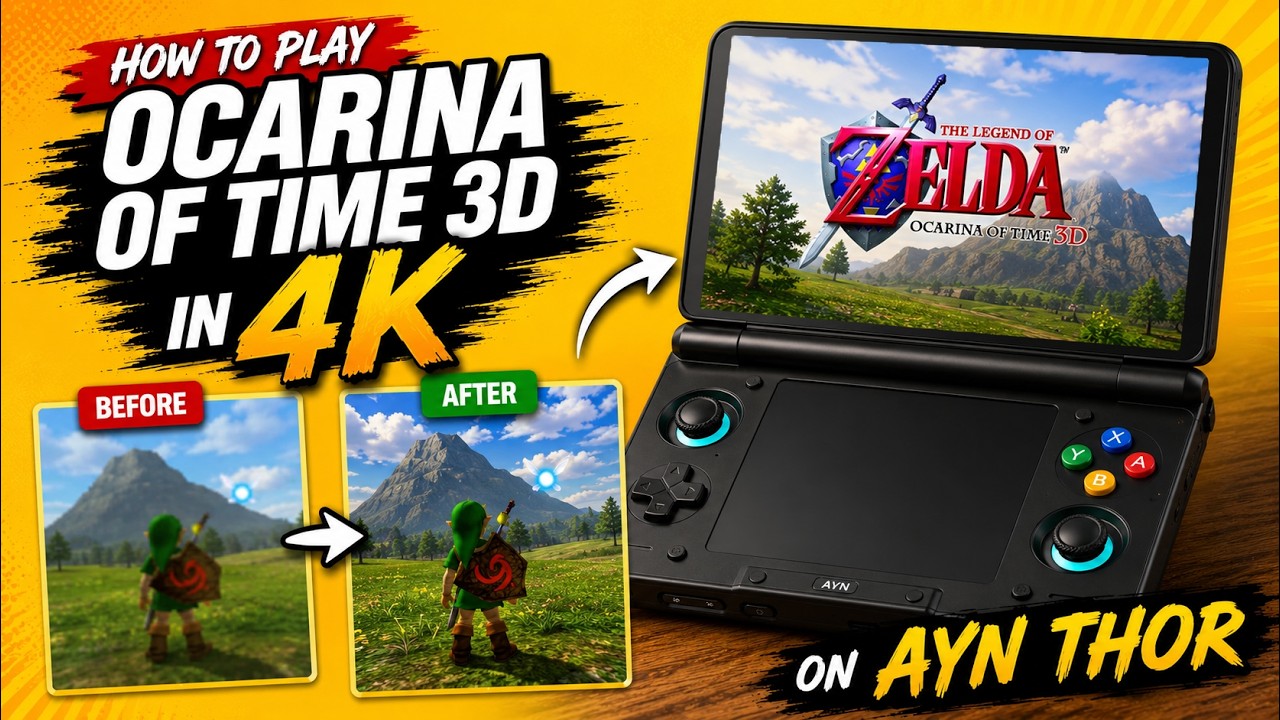
Henriko Magnifico’s texture pack can dramatically sharpen Ocarina of Time 3D in Azahar. Here’s how to install it on an AYN Thor or another capable Android handheld.
Play the Ocarina of Time Remake... Before the Remake
Watch on YouTubeOcarina of Time 3D still holds up remarkably well, but its original 3DS textures can look soft on a modern handheld display. Henriko Magnifico’s OoT3D 4K project replaces those assets with higher-resolution textures while keeping the original art direction recognisable. On Android, the lighter 1080p edition is the sensible choice: it still delivers a major visual upgrade without the extra overhead of the full 4K pack.
What you need
This guide assumes Azahar is already installed and configured on your Android handheld, and that your own copy of The Legend of Zelda: Ocarina of Time 3D is already available in the emulator. You will also need enough free storage for a download of roughly 2 GB plus the extracted files, and a file manager capable of opening ZIP archives.
- Azahar 3DS emulator, already set up
- Your own copy of Ocarina of Time 3D
- Henriko Magnifico’s OoT3D texture pack
- A ZIP-capable file manager
- Enough free storage for the download and extracted textures
Download the right texture pack
Open Henriko Magnifico’s OoT3D 4K page and find the version 4.0 download. The project offers 1080p and 4K variants. For the AYN Thor and similar Android handhelds, I recommend the 1080p pack. The project describes that edition as 4x the game’s base texture resolution, while the 4K edition is 8x; the 1080p version is a better fit for this mobile setup.
When the ZIP has finished downloading, extract it with your preferred file manager. Inside the extracted package, navigate through User, load and textures. You should find three folders with long numerical names; in the pack used here, the folder ending in 500 is the one that contains the replacement textures.
Match the texture folder to your game
- In Azahar, long-press Ocarina of Time 3D to open its game-specific menu and note the game’s title ID. In this setup, the final three digits are 400, 500 or 600 depending on the game region.
- Tap the folder icon beside the play button and choose Open Textures Folder. This takes you to Azahar’s texture directory.
- Return to the extracted texture pack, open User > load > textures, then copy or move the numbered folder ending in 500 into Azahar’s textures folder.
- If Azahar already has a texture folder for your copy of the game, remove that old folder before continuing.
- Rename the copied folder so its full folder name matches the title ID shown for your game. My copy ends in 600, so the copied folder is renamed to end in 600; use 400 or 500 instead if that is what Azahar shows for your copy.
Enable custom textures in Azahar
Open Azahar’s Settings and go to Graphics. Increase Internal Resolution if your hardware has the headroom; on the AYN Thor, I normally use 3x native, which renders at 720p and gives a good balance of sharpness and performance. This resolution setting is separate from the texture replacement itself.
Scroll to the custom-texture options and enable both Custom Textures and Async Custom Texture Loading. Fully close Azahar, restart it, and launch Ocarina of Time 3D again.
How to check that it worked
The quickest confirmation is the title screen. With the pack loaded correctly, a small 4K label appears beneath the Ocarina of Time 3D logo. You should also see sharper environments, cleaner character details and a more detailed interface once you start playing. If the label is missing, re-check that the copied folder name exactly matches the title ID Azahar reports for your game and that both custom-texture options are enabled.
Henriko Magnifico’s project is a free, non-commercial texture pack and does not include game files or decryption keys. The pack is designed for the 3DS version of Ocarina of Time and supports Android emulation, making this a straightforward way to refresh the game without changing the underlying experience.
Where to find it
Sources
About the author
TechCravers
Writes about consumer technology and gaming for TechCravers.