Uperfect GR14BU Review – A Premium Portable Display That Gets Most Things Right
Portable monitors have become increasingly popular over the last few years, but finding one that balances portability, premium image quality and modern features isn’t always easy. Uperfect’s 14-inch portable display GR14BU aims to do exactly that, offering a high-resolution OLED display, a fast refresh rate and touchscreen support with compatible devices in a chassis that’s thin enough to slip into almost any laptop bag.
After spending time with the display, it’s clear that this is a monitor designed for users who value image quality above everything else.
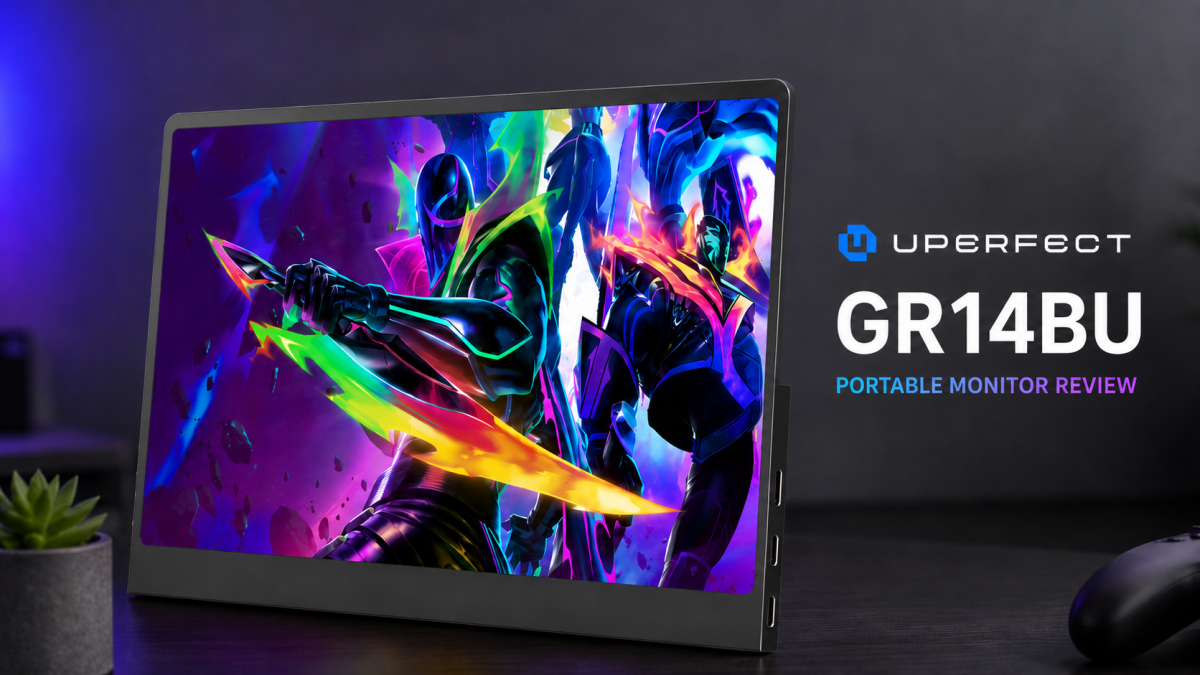
The first thing that catches your attention is, unsurprisingly, the OLED panel. At 2880×1800 pixels spread across a 14-inch display, everything looks incredibly sharp, whether you’re editing documents, browsing the web or watching movies. OLED technology continues to be one of the biggest upgrades you can make to any display, and the deep blacks, vibrant colours and outstanding contrast make content feel noticeably more alive than on a conventional IPS portable monitor.
The 16:10 aspect ratio also deserves praise. While it may not sound like a significant difference on paper, the extra vertical screen space makes everyday productivity more comfortable. You simply see more of your documents, websites and timelines without constantly scrolling, making the monitor equally suited for work and entertainment.
Another major selling point is the 120Hz refresh rate. Once you’ve become accustomed to higher refresh rates, it’s difficult to return to 60Hz, and the difference is immediately noticeable here. Everything from moving windows around the desktop to gaming feels considerably smoother. It’s worth remembering, however, that you’ll need a USB-C connection with DisplayPort Alt Mode to achieve the full 120Hz experience, as the Mini HDMI connection tops out at 100Hz.
Touchscreen functionality is another welcome addition. On compatible Windows devices, the display responds quickly to taps and gestures, making it useful for navigating applications, presenting content or simply interacting with Windows in a more natural way. It’s not a feature everyone will use daily, but it’s certainly nice to have when the situation calls for it.
Physically, the monitor leaves a strong first impression. The aluminium construction feels solid and premium, while the incredibly slim profile and weight of just under 600 grams make it genuinely portable. Whether you’re travelling for work or carrying a handheld gaming PC, it’s the kind of monitor you’ll barely notice in your bag until you need it.
One detail that impressed us more than expected is the integrated kickstand. It’s surprisingly small and discreet, yet it feels remarkably robust. Despite its compact size, it supports the display confidently without any noticeable flex, giving the impression that it’ll hold up well over years of regular use. Sometimes the simplest solutions are the best ones, and Uperfect has done an excellent job here.
Not everything is perfect, though.
The only aspect that noticeably breaks the premium illusion is the physical control buttons located on the side of the monitor. While they function perfectly well, they feel significantly cheaper than the rest of the hardware. They have a somewhat flimsy, almost hollow feel when pressed, which is at odds with the otherwise excellent build quality. It’s a relatively small complaint since most users won’t adjust the monitor’s settings very often, but it’s also the one part of the product that immediately reminds you where compromises have been made.
Connectivity is exactly what you’d expect from a modern portable monitor. Dual USB-C ports and Mini HDMI make it easy to connect laptops, handheld gaming systems, smartphones and modern consoles without much hassle. The setup process is straightforward, and having multiple input options only adds to the monitor’s versatility.
The built-in speakers, on the other hand, are best described as functional. They’re perfectly adequate for system sounds, casual YouTube videos or the occasional video call, but if you’re planning on gaming or watching films, you’ll almost certainly want to use headphones or external speakers instead.
The glossy finish of the OLED panel is another minor compromise. It helps the display produce richer colours and deeper perceived contrast, but it also means reflections become more noticeable in brightly lit environments. It’s a familiar trade-off with OLED displays and unlikely to surprise anyone shopping in this category.
Perhaps what makes this monitor so appealing is that there aren’t many direct competitors offering the same combination of features. A 3K OLED panel, 120Hz refresh rate, touchscreen support, premium build quality and exceptional portability all in one package is still relatively uncommon, helping justify its premium positioning.
Verdict
The Uperfect GR14BU delivers exactly what you’d hope for from a premium portable monitor. Its gorgeous OLED panel is the undeniable highlight, complemented by a sharp 3K resolution, smooth 120Hz refresh rate and a lightweight design that’s easy to bring anywhere. The surprisingly durable integrated kickstand further reinforces the premium feel, making it easy to use on the go without worrying about stability.
The only real disappointment is the set of physical control buttons, which feel noticeably flimsier than the rest of the monitor and stand out as the lone weak point in an otherwise polished package.
If you’re looking for a portable display that prioritises image quality without sacrificing portability or versatility, the GR14BU is easy to recommend. It isn’t cheap, but it offers a level of display quality and refinement that’s difficult to find elsewhere in this form factor.
Score: 9/10
Pros
- Gorgeous 3K OLED display with exceptional contrast and colour reproduction
- Smooth 120Hz refresh rate
- Premium aluminium construction
- Surprisingly sturdy integrated kickstand
- Lightweight and highly portable
- Touchscreen support for compatible Windows devices
- Excellent selection of connectivity options
Cons
- Control buttons feel cheap and flimsy
- Built-in speakers are merely adequate
- Glossy panel can be reflective in bright environments